
Cabling Solutions in Singapore
Structured cabling for offices, CCTV systems, access control, network devices and other connected equipment.
Web Security provides new cabling, additional network points, PoE connections, cable routing and existing cabling upgrades for commercial and security-system installations.
From Equipment Point to End Device
Router, switch, recorder or other central equipment.
Cable routed through the practical path for the site.
Connection point prepared for the required equipment.
CCTV, access point, workstation or security device.
Security Systems Are Only as Reliable as the Connections Behind Them
CCTV cameras, access control, intercoms and other connected security devices all depend on the cabling between equipment points and end devices. Poor routing, damaged cables or weak terminations can create problems that look like device faults.
Camera Cabling
IP cameras may use network cabling between the camera, PoE switch and recorder depending on the system design.
NVR & Equipment Connections
Recorder and network equipment should have clear, stable connections so cameras and connected devices can communicate properly.
Reader & Controller Cabling
Access-control systems may require dedicated cable routes between readers, controllers, locks and other system components.
Door Station & Monitor Connections
Intercom systems may require structured cabling between outdoor stations, indoor monitors and network equipment.
One Cable Route Can Support Multiple Security Devices
A weak termination or damaged cable can cause devices to connect and disconnect.
The cable, switch port or PoE compatibility may need to be checked.
The cable path and termination should be checked before assuming the device is faulty.
Poorly organised cabling makes tracing and future troubleshooting slower.
Plan Network Points Around the Way the Office Will Be Used
Good office cabling starts with knowing where people, devices and security equipment will actually be located. Proper planning can reduce messy extensions, temporary cables and unnecessary rework later.
Desk & User Network Points
Wired network points can be planned around desk locations, staff count and devices that require a stable physical connection.
Access Point Cabling
Ceiling or wall-mounted wireless access points may require dedicated network and PoE connections at suitable coverage locations.
CCTV & Access Control Points
Camera, access-control and intercom locations should be included when planning the office cable routes rather than treated as an afterthought.
Spare & Expansion Points
Where practical, spare points or capacity can make future changes easier when staff, cameras or other devices are added later.
Different Areas Need Different Connections
Cable runs should return to an organised equipment area where practical.
Estimate the number of desks and wired devices needed now and later.
Confirm furniture, partitions, ceilings and equipment-room locations.
Include cameras, readers, intercoms and other connected systems early.
Leave practical room for more devices where the site is likely to grow.
The Cable Route Should Be Planned Before Installation Starts
The shortest route is not always the best route. Ceiling access, wall conditions, furniture, equipment location, future maintenance and the overall appearance of the site should all be considered before cabling begins.
Confirm Where Every Device Will Be
Identify workstation points, cameras, access points, readers, intercoms and equipment locations before deciding the cable route.
Review Ceiling, Wall and Trunking Access
Existing trunking, ceiling spaces and available cable routes should be checked to determine whether they are practical for the installation.
Keep Cable Runs Practical
Cable type, device requirements and distance should be considered so the chosen route remains suitable for the connected equipment.
Leave Access for Future Maintenance
Connections should not be hidden in places that become impossible to reach when the office is completed or furniture is installed.
Keep the Installation Organised
Where possible, cable routes should be kept neat and organised so they do not unnecessarily interfere with the appearance or use of the space.
Before Renovation Is Usually Easier Than After
More Routing Options
Open ceilings, unfinished partitions and accessible walls usually make it easier to plan cleaner routes for network and security cabling.
More Site Constraints
Finished ceilings, built-in furniture and completed walls can reduce routing options and may require more visible trunking or alternative paths.
False ceiling, exposed ceiling or restricted access can change the route.
Different wall materials can affect how cables are concealed or routed.
Existing routes may be reusable if there is suitable space and access.
Desk, counter and cabinet locations can affect point placement and access.
Old Cabling Can Often Be Improved Without Rebuilding Everything
Existing offices and security systems may already have usable cable routes, network points and terminations. The first step is to identify what is still suitable, what is causing problems and what should be replaced or reorganised.
Review the Existing Cable Routes
Check where the current cables run, what devices they serve and whether the routes are still practical for the present setup.
Find Weak or Problematic Sections
Damaged cable, poor terminations, overloaded pathways or unclear connections can create recurring connectivity and maintenance issues.
Keep, Re-route or Replace
Working sections may be retained while only the unsuitable or faulty parts are upgraded.
Clean Up the Final Layout
Cable management and clearer organisation can make future troubleshooting, expansion and equipment changes much easier.
Keep, Review or Replace?
Existing cabling may remain if the condition, route and connection performance are still suitable.
Cabling that works but is difficult to trace may benefit from better organisation, labelling or rerouting.
Cable runs causing recurring faults, poor connections or compatibility issues may need to be replaced.
Additional equipment may require new cable runs or extra network points.
Existing cable routes may no longer match the new furniture or room layout.
Faulty cable or termination problems can create unstable device connectivity.
Older installations may become difficult to maintain after years of additions.
Make the Existing Installation Easier to Understand
Cabling cleanup is not only about appearance. Better organisation can make it easier to identify which cable belongs to which device and reduce time spent tracing connections during future maintenance.
Good Cabling Should Be Easy to Test, Trace and Maintain
Installing the cable is only part of the job. Connections should be checked, key points should be identifiable and faults should be traced systematically when a device is not communicating properly.
Check the Connection
Confirm that the installed cable and termination are carrying the expected connection between the source and end device.
Match the Cable to the Correct Endpoint
Knowing which cable belongs to which camera, workstation, access point or security device makes later servicing much faster.
Keep Important Connections Clear
Where practical, key cables, ports or equipment connections can be labelled so future changes are easier to understand.
Trace the Fault From End to End
When a device is offline, the cable path, termination, switch port, power and device connection can be checked in sequence.
Find Out Where the Connection Stops
Intermittent faults may point to cabling, termination or port issues.
The point, cable run or connection at the other end may need to be checked.
Check the cable, compatible switch port and available PoE capacity.
Tracing and clearer identification can make future maintenance easier.
Future Changes Become Much Easier
Offices and security systems often grow over time. Clear identification can help technicians understand existing connections before moving, replacing or adding equipment.
Real Wiring, Cable Management & Device Installation
Cabling work is often hidden once a system is completed, but the quality of the route, organisation and final connection has a direct impact on how easy the system is to maintain later.
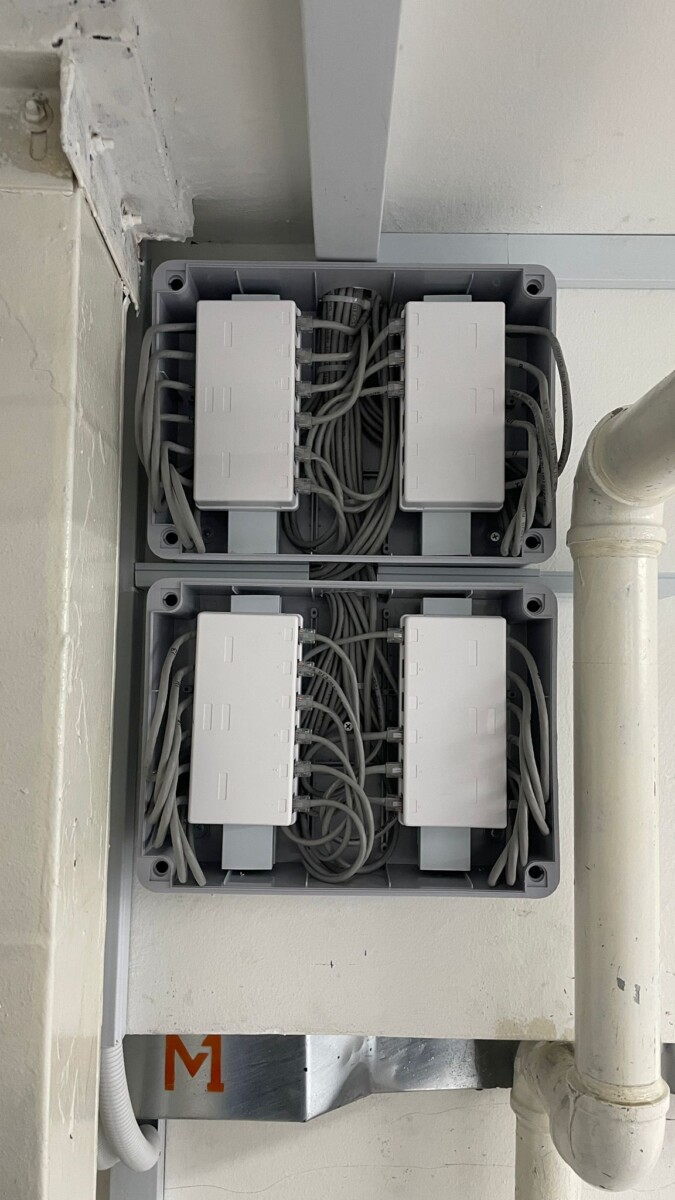
Organised Equipment-Side Cabling
Cleaner cable organisation makes ports and equipment connections easier to identify when the system needs servicing, expansion or troubleshooting.
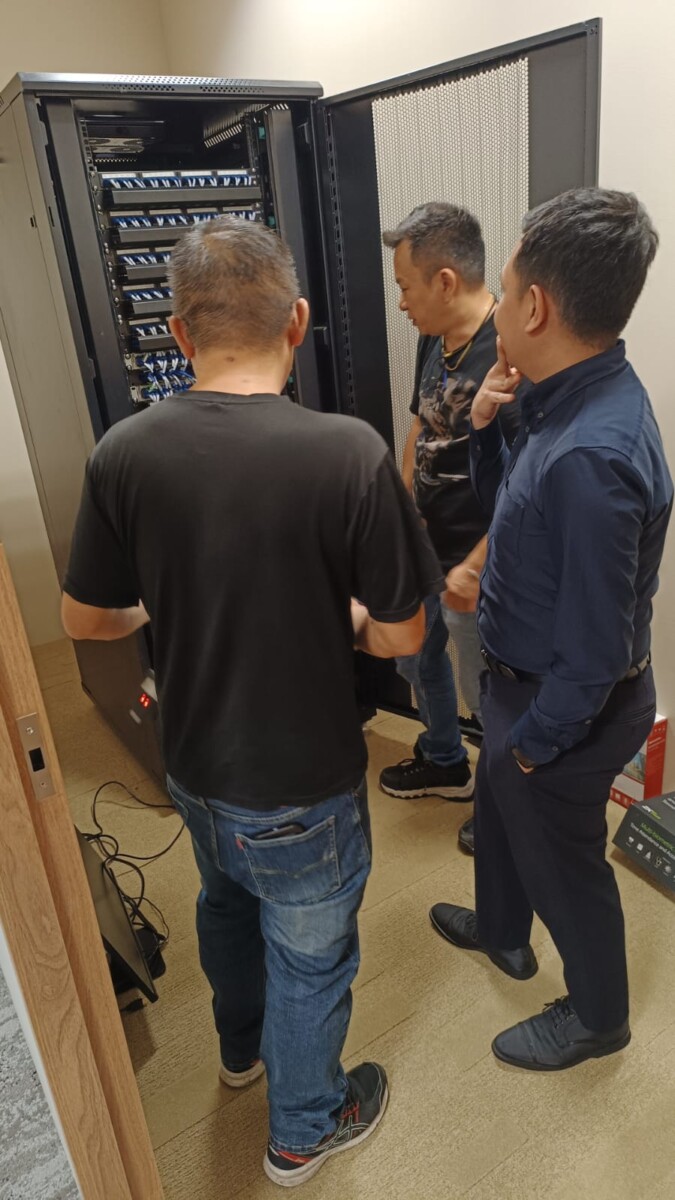
Cable Arrangement During Installation
Connections should be routed and arranged with both current equipment and future maintenance in mind.
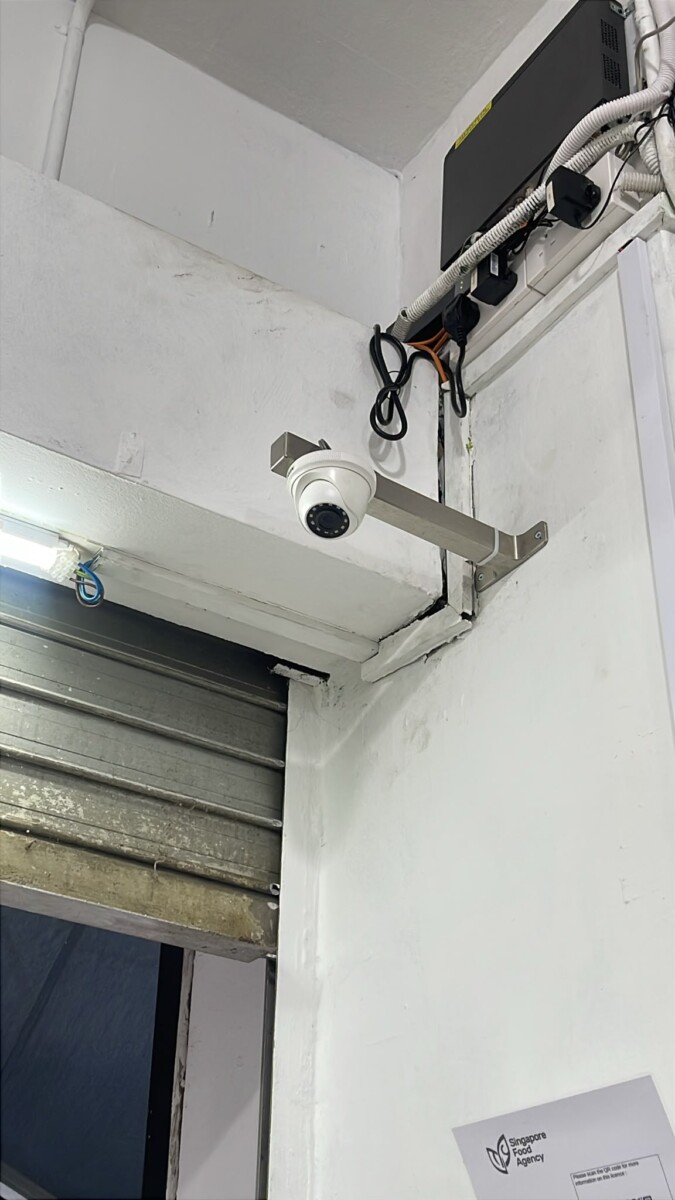
CCTV Camera Connection
The final cable route should reach the device cleanly while allowing suitable access for installation and future servicing.
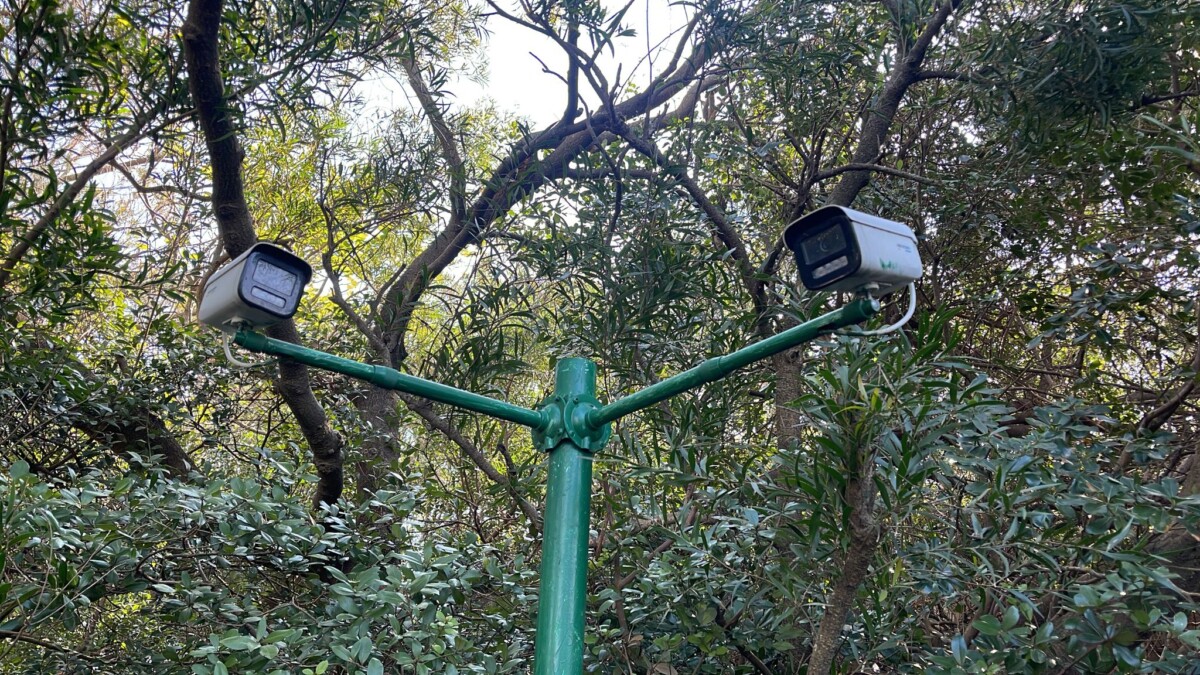
Cabling for Non-Standard Locations
Outdoor or specialised installations may require different routing, mounting and protection considerations from a normal indoor office.
Cable paths should be understandable and practical for the installation.
Device and equipment-side connections should be properly terminated.
Important connections should remain accessible for future maintenance.
Better organisation reduces confusion when equipment is added or replaced.
Common Questions About Network & Security Cabling
Cabling requirements depend on the site layout, device type, distance, existing routes and whether the installation is new or being added to an existing system.
Web Security supports cabling for office networks, CCTV systems, PoE devices, access control, intercoms, network points and other connected security or office equipment.
Yes, additional network points may be added where the cable route, equipment capacity and physical site conditions allow.
It may be possible if the existing cable condition, route, termination and performance are still suitable for the equipment being used.
IP CCTV systems commonly use network cabling between cameras, PoE switches and recorders. The actual cabling method depends on the system design and equipment.
Power over Ethernet allows compatible equipment to receive both network data and electrical power through one network cable. It is commonly used for IP cameras and wireless access points.
Yes. Damaged cabling, poor termination, a faulty connection or a related switch or PoE issue can cause a connected device to lose communication even when the device itself is still working.
Where possible, yes. Planning cabling before ceilings, partitions and built-in furniture are completed usually provides more routing options and can reduce unnecessary rework.
Existing cabling can be reviewed and reorganised where practical. Unused, unclear or poorly arranged connections may also be traced, labelled or rerouted depending on the site condition.
The cable route, condition, termination and connection performance can be checked. Replacement may be appropriate where a section is damaged, unreliable or unsuitable for the intended system.
Tell Us What Cabling Work You Need
Need new network points, CCTV cabling, PoE connections, cable replacement or help cleaning up an existing installation?
Tell us what devices need to be connected, where they are located and whether the site already has existing cable routes.
What Type of Cabling?
Network points, CCTV, PoE, access control, intercom or other connected equipment.
New Installation or Existing Site?
Let us know whether this is a new office, renovation, system expansion or an existing cabling problem.
Where Are the Devices Located?
Workstations, ceilings, counters, entrances, equipment rooms or outdoor areas.