
CCTV Troubleshooting & Repair in Singapore
Camera offline, no recording, blurry footage or remote viewing not working? Web Security helps diagnose CCTV faults across homes and business premises.
We can review existing cameras, DVR or NVR systems, cabling, storage, network connections and configuration before advising whether the issue should be repaired, upgraded or replaced.
Check power, cabling, network connection and recorder status before deciding whether the camera or supporting equipment needs attention.
CCTV Faults We Commonly Troubleshoot
CCTV problems can come from the camera, recorder, storage, cabling, network or system configuration. The first step is to identify where the fault is coming from before deciding what needs to be repaired or replaced.
What We Check During CCTV Troubleshooting
CCTV faults are not always caused by the camera itself. Troubleshooting usually means checking the complete signal path to identify where the problem starts.
Camera Condition
Power, image output, lens condition, focus, camera settings and physical condition.
Cabling & PoE
Cable condition, connectors, power supply, PoE ports and connection stability.
DVR / NVR
Camera channels, recorder status, configuration, playback and recording behaviour.
Hard Drive & Recording
Storage condition, available capacity, recording schedule and footage retention.
Remote Viewing & App
Internet connectivity, network settings, mobile app access and remote viewing configuration.
For example, an offline camera could be caused by the camera, cable, PoE connection, recorder or network. Checking the system path first helps avoid replacing equipment unnecessarily.
Not Every CCTV Problem Needs a Full System Replacement
The right next step depends on the age of the system, fault condition, compatibility of existing equipment and whether the current setup still meets the site’s security requirements.
Repair the Existing System
Suitable when the main CCTV system is still serviceable and the fault is limited to a specific component, connection or configuration issue.
- Only one or a few cameras are affected
- Cabling or connectors are faulty
- Recording settings need correction
- Remote viewing requires reconfiguration
Upgrade Selected Components
Suitable when parts of the CCTV system can still be retained, but certain cameras, recorder, storage or network components need improvement.
- Image quality no longer meets requirements
- More storage or longer recording is needed
- The recorder is limiting newer cameras
- Some existing infrastructure is still usable
Replace the CCTV System
Suitable when the current system is outdated, unreliable, heavily degraded or no longer compatible with the site’s operational needs.
- Multiple components are failing
- The system is obsolete or unsupported
- Repair costs are no longer practical
- A major improvement in coverage is required
How We Approach a CCTV Fault
The goal is to identify the actual cause of the problem before deciding what should be repaired, reconfigured, upgraded or replaced.
Describe the Problem
Tell us what is happening, which cameras are affected and whether the issue involves viewing, recording, playback or remote access.
Inspect & Test
The relevant cameras, cabling, recorder, storage, network and configuration are checked depending on the reported fault.
Identify the Cause
We narrow down whether the issue is coming from equipment, connectivity, storage, configuration or another part of the system.
Recommend the Next Step
Depending on the condition of the system, the next step may be repair, reconfiguration, a partial upgrade or replacement.
Support for Existing & Multi-Brand CCTV Systems
Many CCTV troubleshooting jobs involve systems that have been installed for years, upgraded in stages or use equipment from different brands.
We can review the existing setup and check whether cameras, DVR or NVR, cabling, storage and network components can still work together before recommending what should be retained, reconfigured, upgraded or replaced.
Ask About Your Existing System →Older DVR / NVR Systems
We can assess recorder condition, camera compatibility, recording, storage and whether the current hardware still supports the required setup.
Mixed Camera Generations
Existing sites may contain older and newer cameras installed at different times. Compatibility should be checked before adding or replacing equipment.
Multi-Brand CCTV Equipment
We work with CCTV brands including Hikvision, Dahua, TP-Link/VIGI, Uniview and AVTECH, while support for an existing system depends on model compatibility and condition.
Existing Cabling & Infrastructure
Cabling, switches, power supply and network infrastructure may be reused where they remain suitable for the proposed system.
CCTV Troubleshooting & Configuration in Practice
Existing CCTV systems often require more than a quick settings change. These examples show real configuration, wiring and on-site support work.
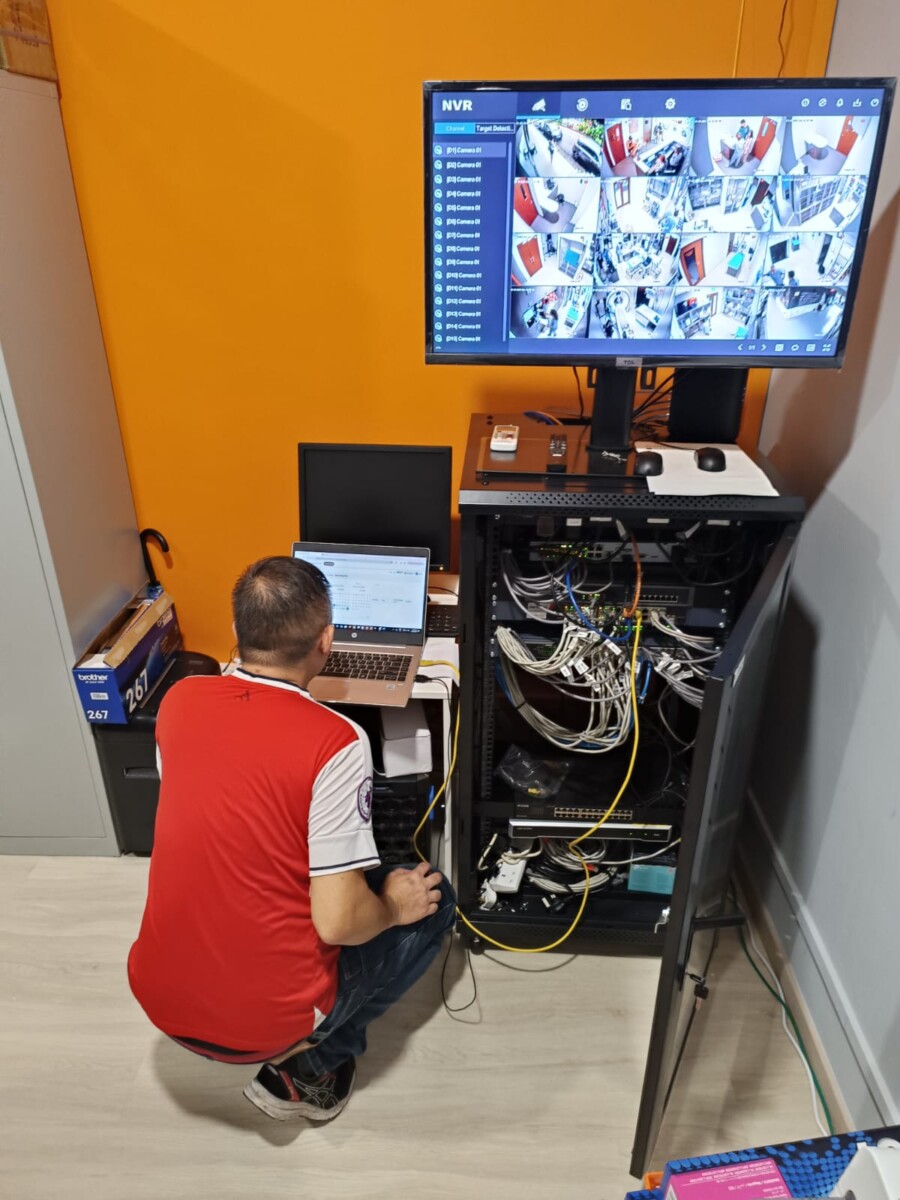
On-Site CCTV Configuration & Fault Checking
Reviewing system settings, recorder behaviour and CCTV connectivity to identify faults in an existing setup.
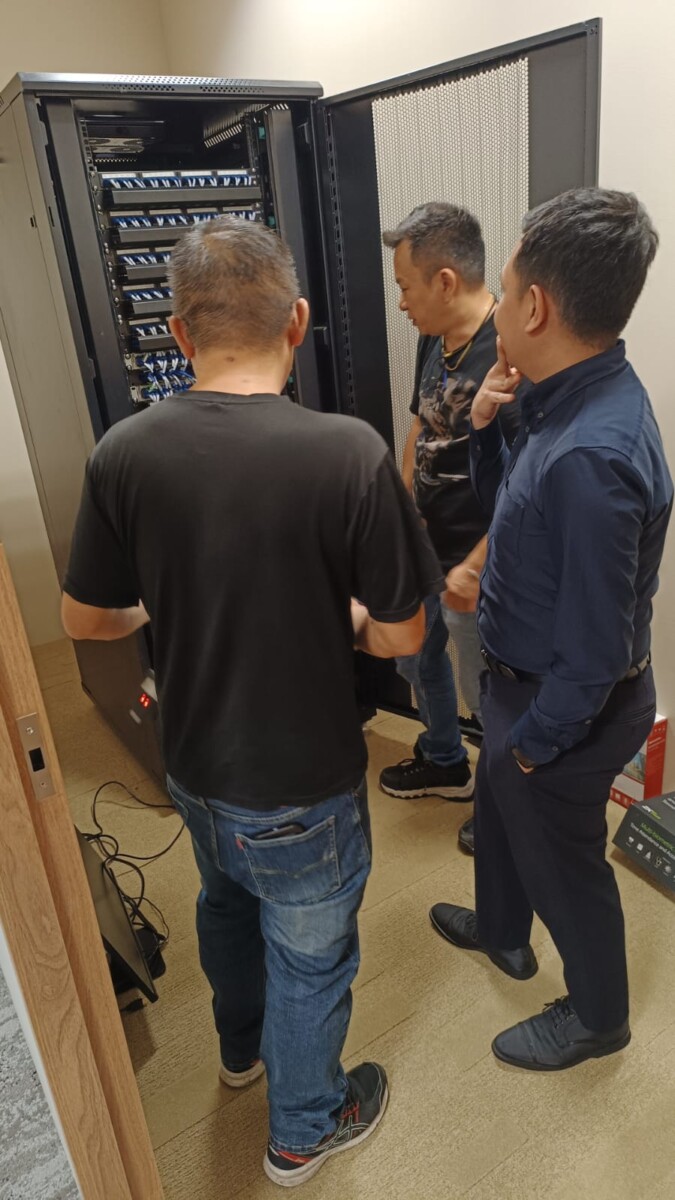
Wiring & Connection Checks
Cabling and connection issues can cause intermittent or offline cameras.
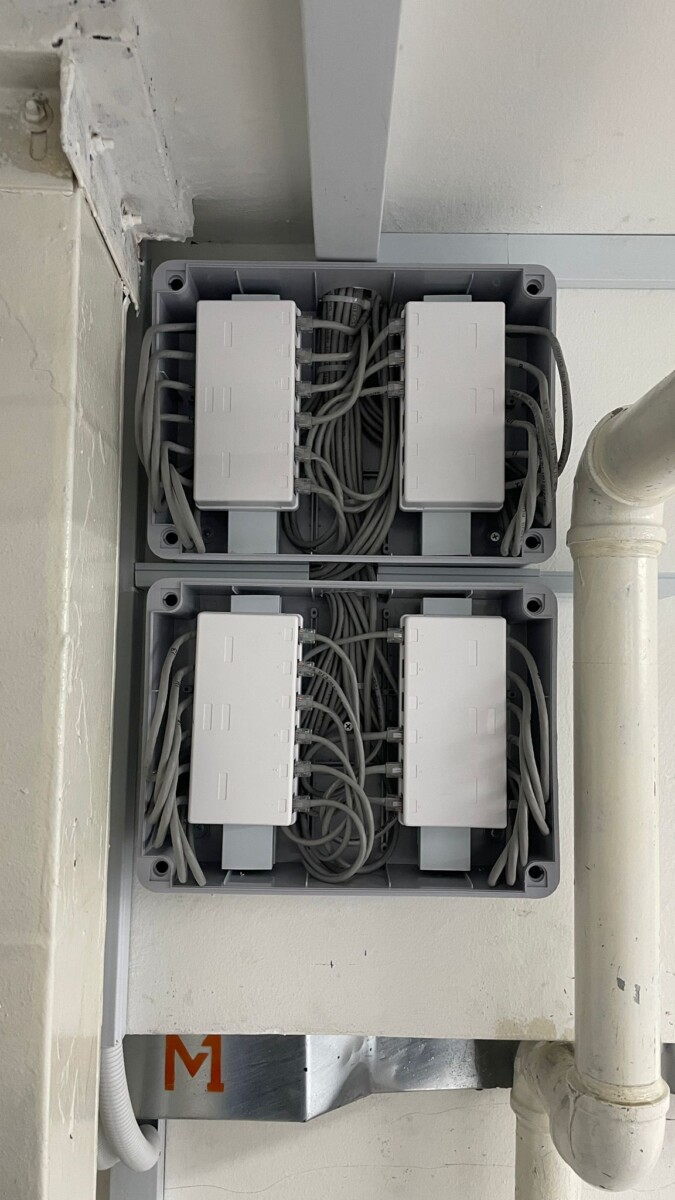
Cable Management & System Organisation
Proper cable organisation helps make future maintenance and fault tracing easier.
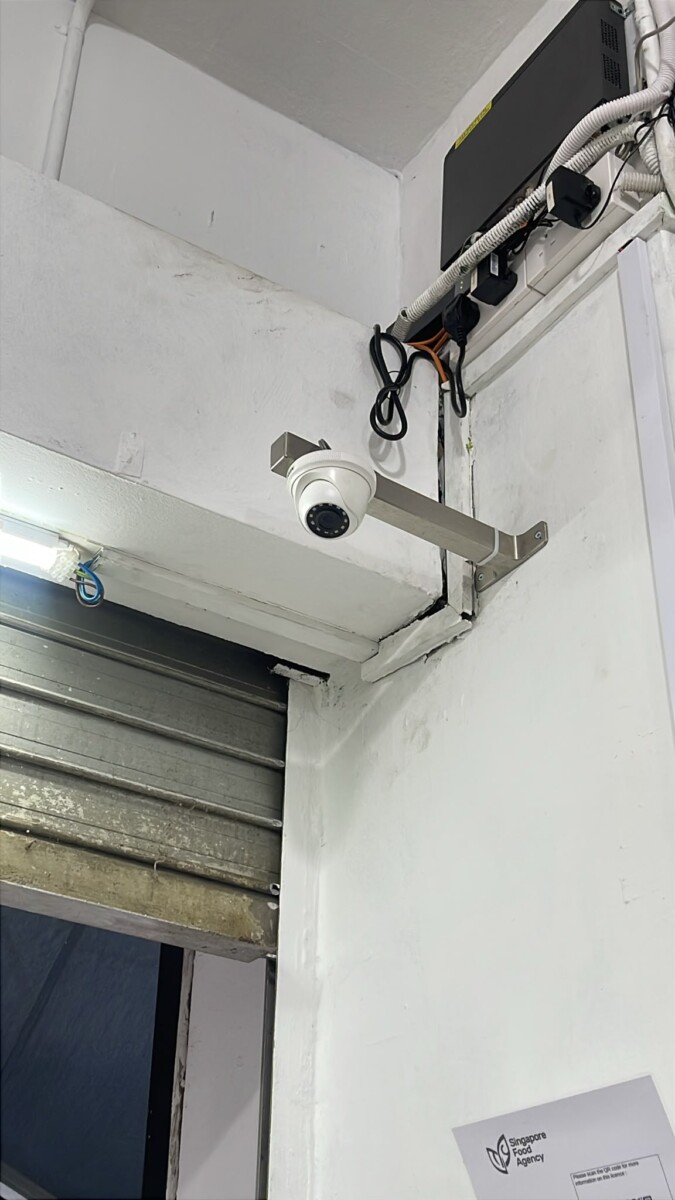
Existing Camera Inspection
Camera condition, mounting, connection and suitability can be checked before deciding on repair or replacement.
Want to Check the Basics Yourself First?
If the issue looks simple, you can start with our guide to common CCTV problems and basic checks before requesting on-site troubleshooting.
The guide covers common symptoms such as camera offline issues, recording problems, poor image quality and remote viewing faults.
10 Common CCTV Problems and How You Can Fix Them
Use the guide for basic checks. If the problem continues or the system condition is unclear, professional troubleshooting may be more suitable.
Read the CCTV Troubleshooting Guide →Common Questions About CCTV Faults & Repair
These questions are focused on existing CCTV systems that are not working properly, recording correctly or connecting as expected.
Need help with another CCTV issue? →01 Why is one of my CCTV cameras offline? +
An offline camera may be caused by the camera itself, power, cabling, PoE, network connection, recorder channel or system configuration. The connection path should be checked before deciding that the camera needs replacement.
02 Why can I see live CCTV but there is no recording? +
This can involve the recorder, hard drive, recording schedule, storage condition or configuration. The DVR or NVR and storage system should be checked to identify where the recording fault is coming from.
03 Can an old CCTV system be repaired? +
It depends on the system condition, age, available replacement parts and compatibility. Some older systems may still be suitable for repair or partial upgrade, while others may be more practical to replace.
04 Why has remote CCTV viewing stopped working? +
Remote viewing depends on the recorder, internet connection, network configuration, mobile application and account access. The local CCTV system may still be recording even when remote viewing is unavailable.
05 Do I have to replace the whole system if one component fails? +
Not necessarily. If the rest of the system is still compatible and in suitable condition, it may be possible to replace only the affected camera, recorder, storage device or other component.
06 Can you troubleshoot CCTV systems installed by another company? +
Existing systems can be reviewed depending on the equipment, access, compatibility and current condition. It is useful to share the camera or recorder model, photos of the setup and the symptoms you are experiencing before troubleshooting begins.
Tell Us What’s Wrong With Your CCTV System
Share the problem you are experiencing and any details you know about the current CCTV setup.
Photos of the camera, recorder or error screen can also help us understand the issue before the next troubleshooting step is discussed.
What Is Not Working?
Camera offline, no recording, blurry image, remote viewing problem or another CCTV fault.
How Many Cameras Are Affected?
Let us know whether the issue affects one camera, several cameras or the entire CCTV system.
Existing Brand or Model
If known, share the camera, DVR or NVR brand and model, together with any photos of the current setup.