
CCTV Upgrade & Replacement in Singapore
Thinking of upgrading an older CCTV system? Web Security can review your cameras, recorder, storage and cabling, then advise what can still be used and what may be worth replacing.
The goal is not always to change everything. Depending on the system condition and compatibility, selected equipment may be retained while other parts are upgraded to improve image quality, recording, storage, remote viewing or overall reliability.
- Usable cabling
- Compatible cameras
- Suitable network infrastructure
- Existing mounting points
- Ageing DVR / NVR
- Low-resolution cameras
- Insufficient storage
- Outdated remote viewing setup
Signs Your CCTV System May Be Due for an Upgrade
A CCTV system does not always need to fail completely before an upgrade becomes useful. Sometimes the system still works, but no longer gives the image quality, storage, coverage or convenience needed today.
Different Parts of a CCTV System Can Be Upgraded Separately
An upgrade does not always mean replacing the whole CCTV system. Depending on compatibility and condition, individual parts can often be improved while retaining what is still suitable.
Camera Upgrade
Improve image quality, night performance, viewing angle or coverage by replacing selected cameras where needed.
DVR / NVR Upgrade
Replace an ageing recorder to support newer cameras, more channels, better playback or improved system stability.
Recording Storage
Increase storage capacity when more cameras, higher resolution or longer footage retention is required.
Cabling & PoE
Review existing cabling, switches, power supply and PoE infrastructure where the upgraded system requires better connectivity.
Remote Viewing
Improve network configuration, recorder connectivity and supported mobile access where remote viewing is part of the upgrade.
Add More Cameras
Expand monitoring to new entrances, work areas, storage zones or other parts of the property that were not previously covered.
What Can Stay, What Should Be Checked, and What May Need Replacing
An older CCTV system can sometimes be upgraded in stages. The key is checking whether the existing equipment is still compatible, reliable and suitable for the new setup.
Equipment That May Still Be Usable
Cabling may be retained if it remains in good condition and is suitable for the upgraded system.
Cameras that still provide suitable image quality and work with the proposed recorder may not need replacing.
Existing camera positions can often be reused where they still provide the required coverage.
Existing switches or network points may remain useful depending on capacity and compatibility.
Equipment That Should Be Checked First
Check channel limits, supported resolution, storage capacity and compatibility with newer cameras.
Storage should be checked for health, available capacity and the required recording retention period.
Existing power supply or PoE equipment should be checked before adding higher-specification cameras.
Older apps, recorder platforms or network settings may need to be updated.
Equipment That May No Longer Be Worth Keeping
Cameras with repeated faults, poor image quality or hardware deterioration may be better replaced.
A recorder that cannot support required resolution, channels or newer equipment may become the main system limitation.
Unstable or deteriorated cabling may need replacement rather than continued repair.
Very old or incompatible devices may limit future upgrades and system reliability.
Different CCTV Systems Need Different Upgrade Paths
CCTV upgrades are usually based on what the current system is lacking. Some sites only need a small improvement, while others may need a more complete refresh.
Replace Older Cameras for Clearer Footage
Suitable when the existing recorder and infrastructure are still usable, but selected cameras no longer provide enough detail.
Upgrade the DVR or NVR
An ageing recorder may limit camera resolution, storage, channel capacity or newer system features.
Increase CCTV Recording Capacity
Useful when footage is being overwritten sooner than required or more cameras have been added to the system.
Add Cameras for New Areas
Property layouts and operational needs can change over time, creating areas that were not part of the original CCTV plan.
Modernise Mobile & Remote Access
Older systems may still record locally but use outdated remote viewing methods or recorder platforms.
Replace an Ageing CCTV System
A more complete replacement may be appropriate when cameras, recorder, storage and other components are all becoming unreliable or obsolete.
What a CCTV Upgrade Can Improve
The exact result depends on the existing system, but an upgrade can improve several parts of the CCTV setup without necessarily replacing everything.
Older cameras may produce softer images, limited detail or weaker performance in difficult lighting.
Selected camera upgrades can provide clearer footage where more detail or better coverage is required.
Existing storage may overwrite footage sooner than the site now needs.
Storage capacity can be reviewed and expanded to better match the current number of cameras and recording requirements.
An older DVR or NVR may have limited channels, resolution support or compatibility with newer cameras.
A recorder upgrade may provide more room for newer cameras, additional channels or future expansion.
Older remote access methods may feel difficult to use or depend on ageing recorder platforms.
Compatible newer equipment can support a more current remote viewing setup and mobile access experience.
The original CCTV layout may no longer cover new entrances, work areas or operational zones.
Cameras can be added, repositioned or replaced to better match the way the property is currently being used.
Years of partial changes can leave a site with mixed equipment, different generations and compatibility limitations.
A planned upgrade can simplify the system and reduce unnecessary compatibility issues between older and newer equipment.
CCTV Upgrades in Existing Systems
Upgrading an existing CCTV system can involve camera replacement, wiring improvements, recorder changes or reworking parts of the setup so the system better matches current needs.
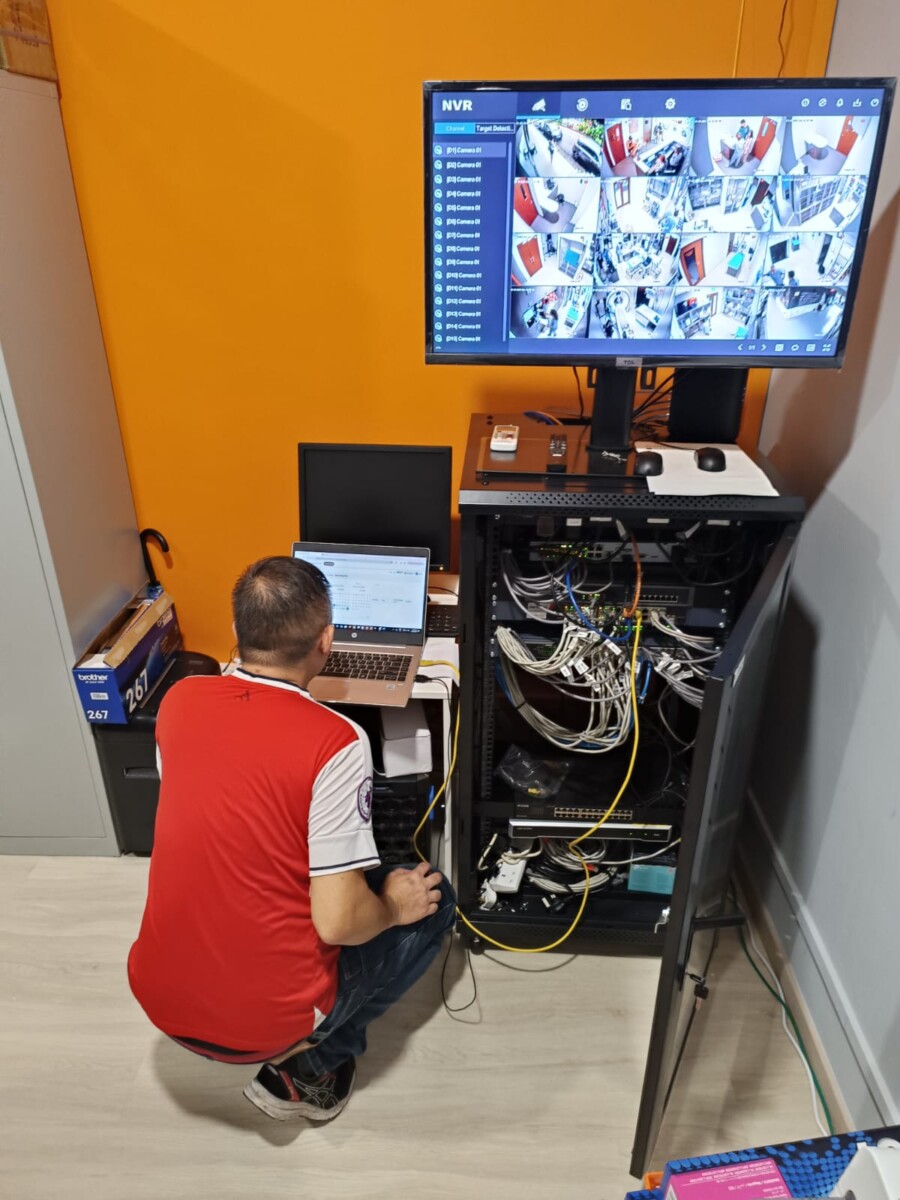
Existing CCTV System Assessment
Reviewing system settings, recorder condition and compatibility before deciding what should be retained or upgraded.
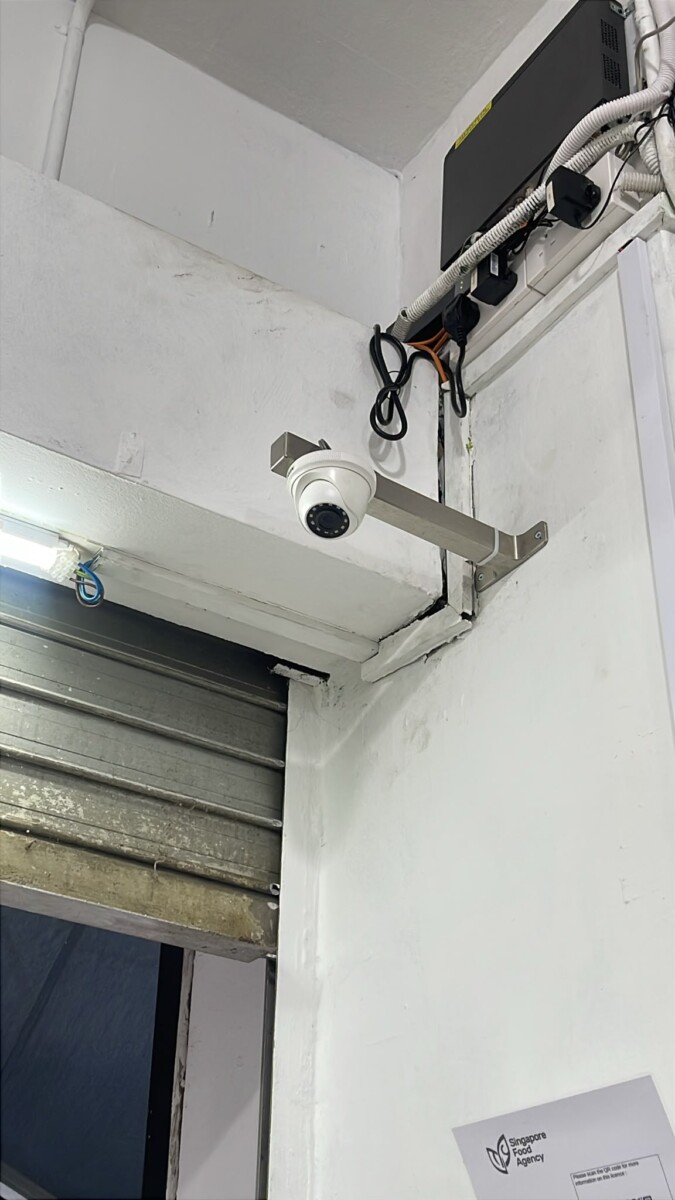
Replacing Existing Cameras
Selected cameras can be changed where image quality, condition or compatibility has become a limitation.
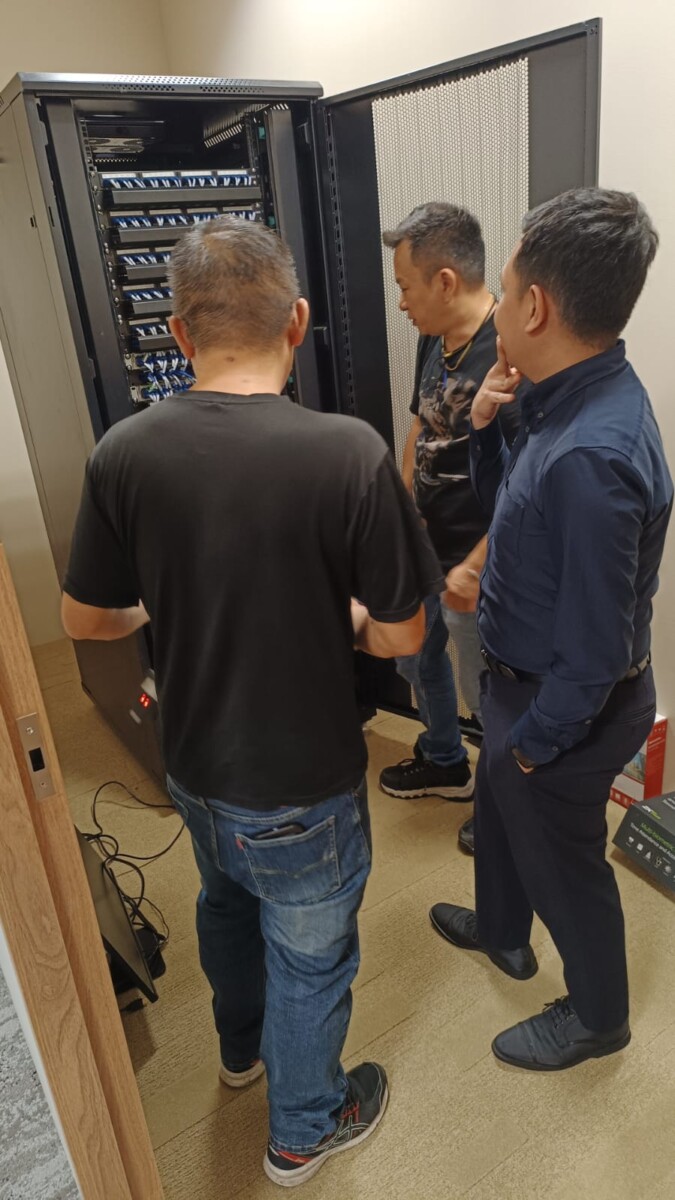
Cabling & Wiring Review
Existing wiring can be checked to determine whether it can remain in use or should be improved as part of the upgrade.
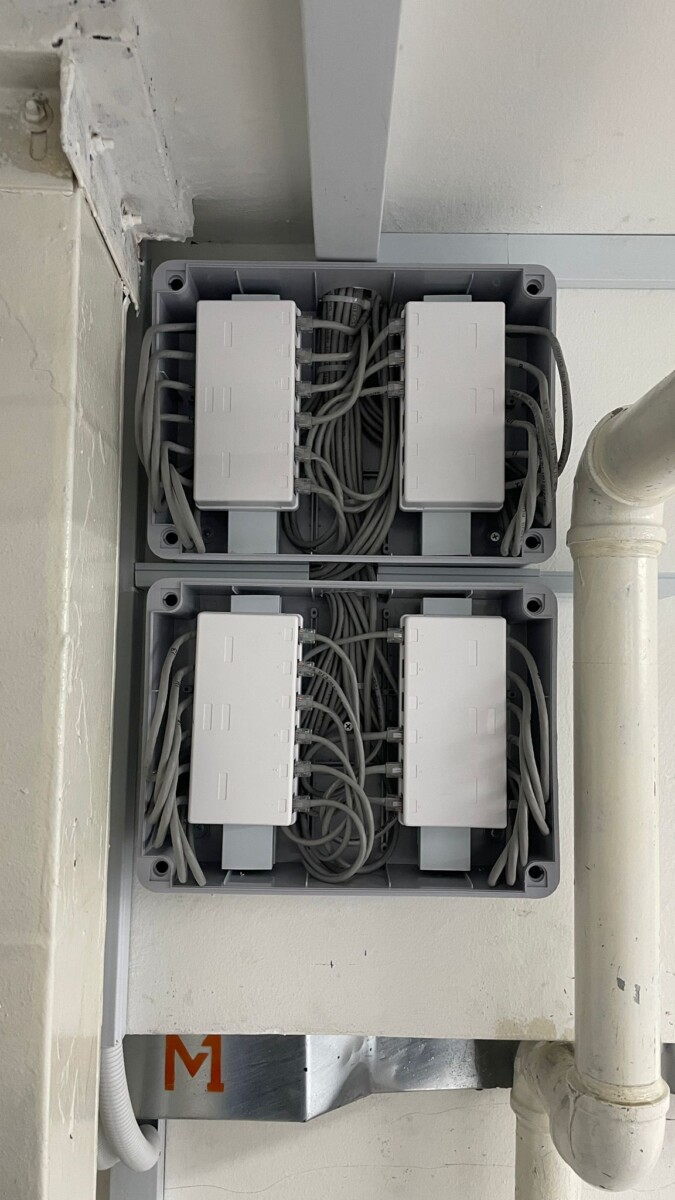
Improving System Organisation
Better cable organisation and system layout can make future maintenance and expansion easier.
Common Questions About Upgrading an Existing CCTV System
These questions focus on older CCTV systems that still work but may no longer provide the image quality, storage, coverage or compatibility needed today.
Ask About Your Existing CCTV System →01 Do I need to replace my entire CCTV system to upgrade it? +
Not always. If the existing cameras, cabling, recorder or network infrastructure are still suitable and compatible, some parts may be retained while only selected components are upgraded.
02 Can I upgrade the DVR or NVR without changing all the cameras? +
In some systems, yes. The existing cameras should first be checked for connection type, resolution, protocol and compatibility with the proposed recorder.
03 Can existing CCTV cabling be reused? +
Existing cabling may be reusable if it is in suitable condition and works with the upgraded system. Older or damaged cabling may need repair or replacement if it affects reliability or compatibility.
04 Will upgrading my cameras improve image quality? +
It can, but the result also depends on the recorder, supported resolution, lighting, camera position and other parts of the system. The full setup should be checked before changing only the cameras.
05 Can I increase how long CCTV footage is kept? +
Storage can often be increased depending on the DVR or NVR capacity, supported hard drives, number of cameras, recording settings and the retention period required.
06 How do I know if upgrading is still worth it? +
It depends on the age, condition and compatibility of the existing equipment. If several major components are already obsolete or unreliable, a more complete replacement may make more sense than continuing to upgrade an ageing system piece by piece.
Tell Us What You Want to Improve
Already have CCTV installed? Share what you want to improve and any details you know about the existing system.
We can review what is already in place and advise whether the better next step is to keep, upgrade or replace selected parts of the system.
What Do You Want to Improve?
Image quality, storage, recorder performance, remote viewing, camera coverage or overall system reliability.
What Is Already Installed?
If known, share the CCTV brand, camera type, DVR or NVR model, number of cameras and approximate system age.
What Would You Like to Keep?
Let us know if you are hoping to reuse existing cameras, cabling, recorder, storage or other parts of the setup.